
404 Page Not Found
A 404 page appears when visitors land on a link or page that can’t be found on your website.
By default, ZenBasket Builder includes a “Page Not Found” (404) page for missing or broken links. You can personalize this page to match your site’s look and feel, adding helpful links or messages to guide visitors back to your main pages and keep them engaged with your site.
Customizing the 404 Page
To customize your default** Page Not Found** page:
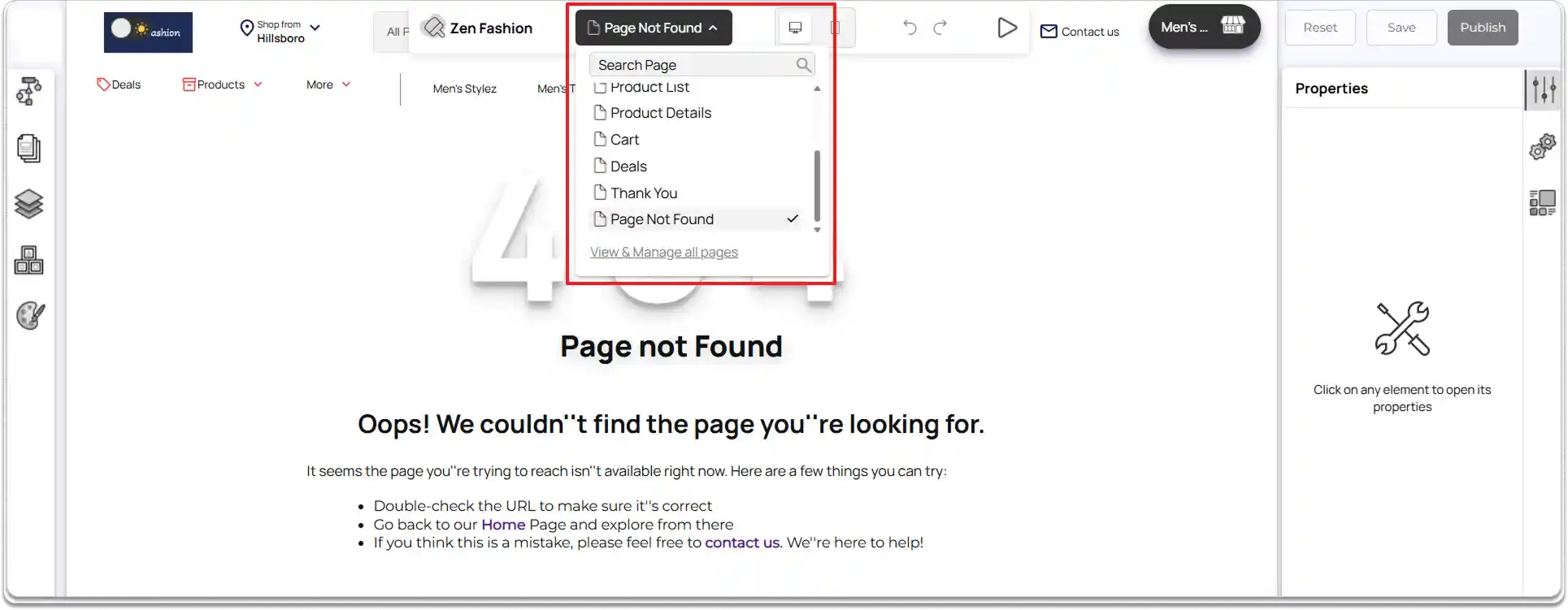
- In the ZenBasket Builder Editor, go to the center top panel.
- Click the** Pages** dropdown list.
-
From the list, select Page Not Found.
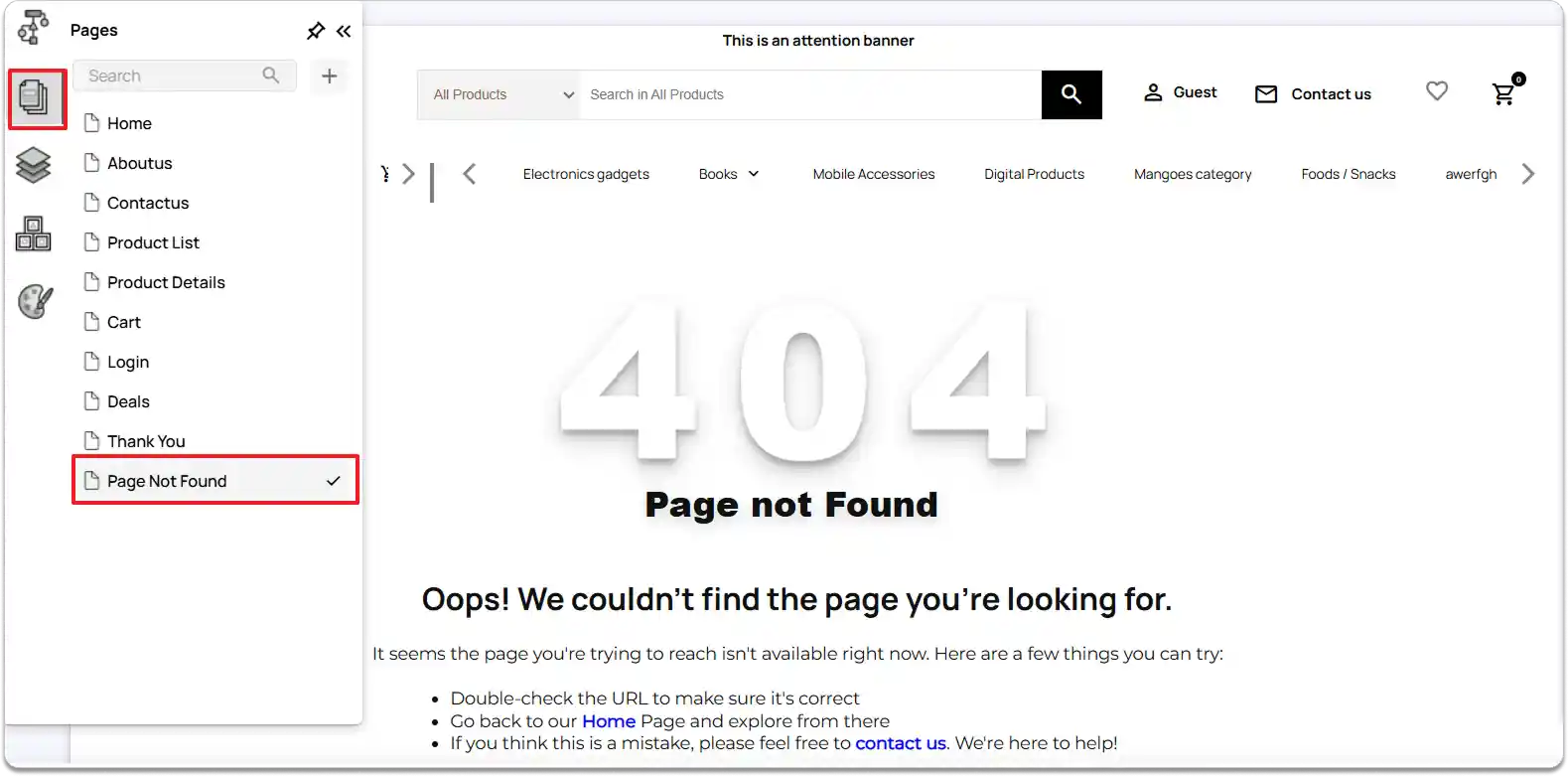
- You can also access it through the left tools panel.
-
Click Pages, then choose Page Not Found from the list of available pages. The 404 page will load in the editor. By default, it includes a 404 image, optimized text that informs visitors the page doesn’t exist, and links that help them navigate back to your main pages.
-
Once the page is loaded, you can begin customizing the layout, text, images, and links to suit your website’s design and style.
-
After making your changes, click the Publish button at the top-right corner of the editor to save and apply your updates.
-
To preview how your live 404 page appears:
-
Click the Preview button in the center top panel, or
-
Open your storefront and add a few extra characters to the end of your site URL.
-
This will intentionally lead to a missing page, allowing you to view how your customized 404 page looks to visitors.