
About Predesigned Sections
Sections are a quick and easy way to structure your site pages. They help organize your content and create a clean, visually appealing layout. With pre designed sections, you can instantly add professional layouts and elements to your pages without starting from scratch.
Getting Started with Pre Designed Sections
You can either:
-
Add a blank section to create your own layout, or
-
Choose from a variety of ready-made designs available in the editor.
These predesigned sections are organized by topic-such as Blogs, Advertisements, Forms etc.,- and may include layouts tailored to your business type. Each design comes with carefully selected elements to help you get started quickly.
Adding Predesigned Sections
-
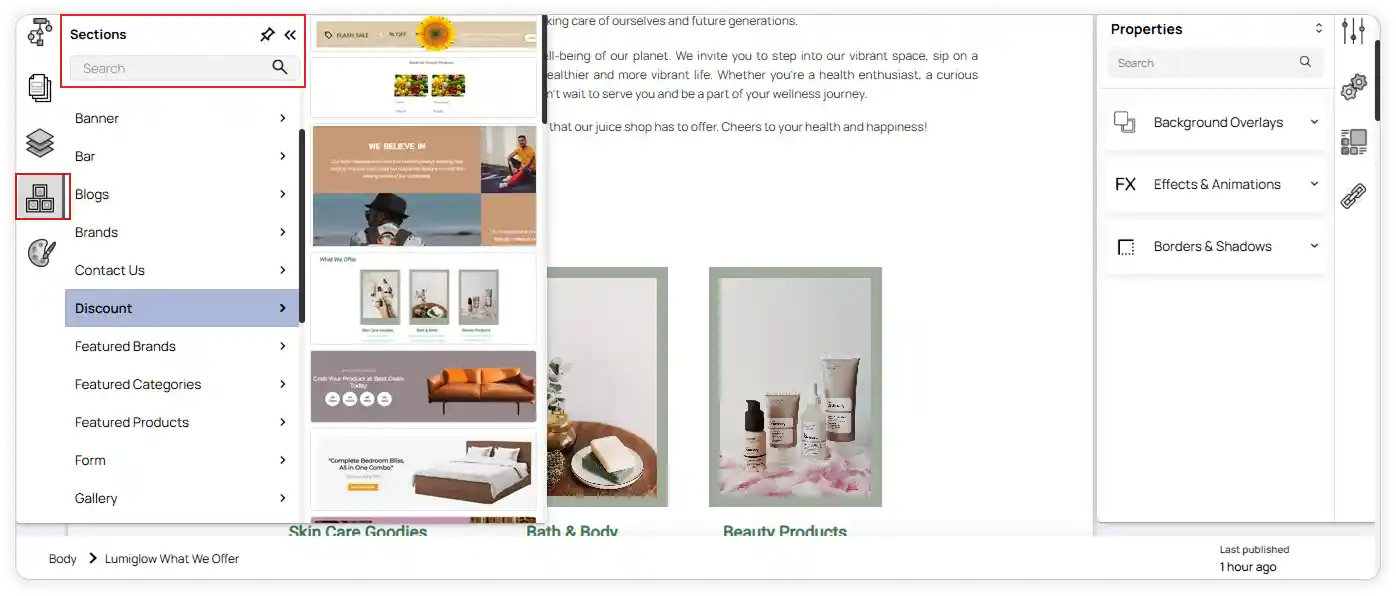
In the ZenBasket Builder editor, open the left panel.
-
Select Sections from the available options.
-
Browse through the predesigned layouts displayed based on your business type.
-
Drag and drop a design to add it to your page.
Customizing Predesigned Sections
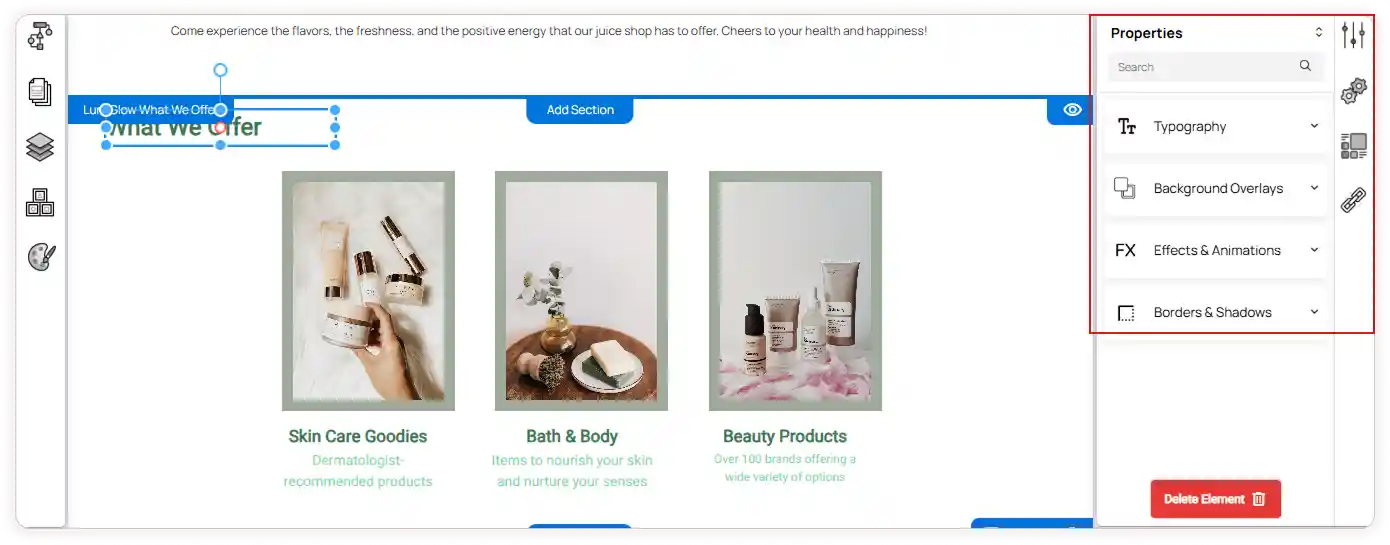
After adding a section, you can fully customize it to fit your page’s purpose and style.
You can:
-
Add or remove elements such as text, images, or buttons.
-
Apply animations and effects to make your section visually engaging.
-
Adjust properties like background, borders, and spacing.
-
Setup the configuration if any advanced element is used.
To delete any element, click on it and select the Delete Element button
Adding Links to Elements
You can easily add links to text or buttons within your section:
-
Select the text or button element.
-
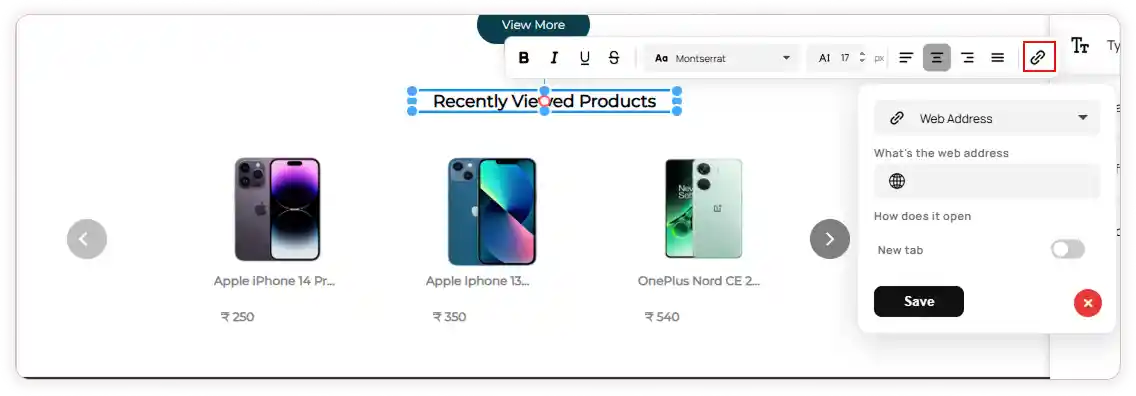
A Quick toolbar will appear above it.
-
Click the Link icon and choose the link type:
-
Page – Select a page from the dropdown. Enable or disable Open in the new tab as needed.
-
Web Address – Enter the URL and choose whether it should open in a new tab.
-
Email – Enter the email address and subject line.
-
-
Click Save to apply the changes.
This allows visitors to navigate seamlessly from your section to other parts of your site or external destinations.