Layout Settings in ZenBasket Builder
The Layout menu in ZenBasket Builder allows you to control how selected pages appear on your storefront. Currently, layout settings are supported for the following pages:
-
Product List Page
-
Cart Page
-
Deals Page
Product List Page Layouts
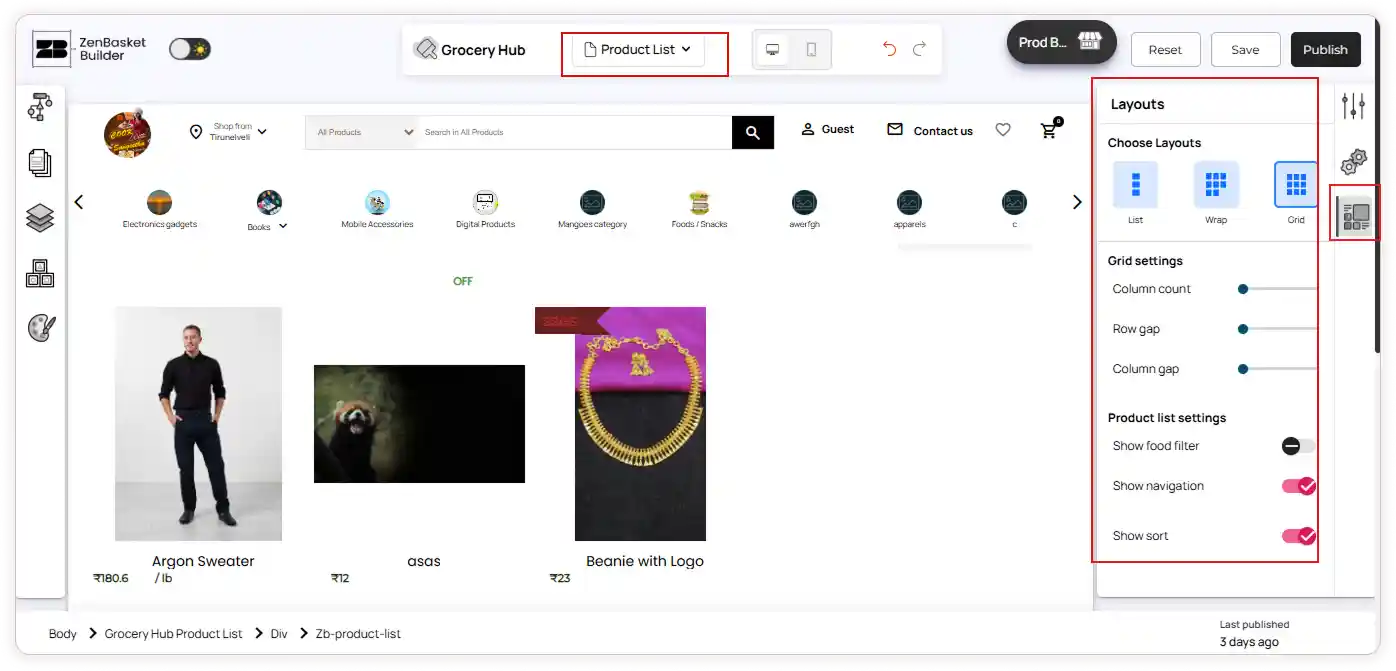
The Product List page allows you to customize how products are displayed in your storefront.
To access layout settings for the Product List page:
-
Go to the Pages menu from the left panel or select the Product List page from the top bar.
-
Click on the Product List section to view the layout options.
-
Choose a layout from the available options such as List, Wrap, and Grid.
-
If the Grid layout option is selected, you can adjust the grid settings including column count, row gap, and column gap.
-
You can also set the Product List settings for any layout by enabling or disabling the toggles for options such as food filter, navigation, and sort. All changes will reflect immediately on the page.
Cart Layouts
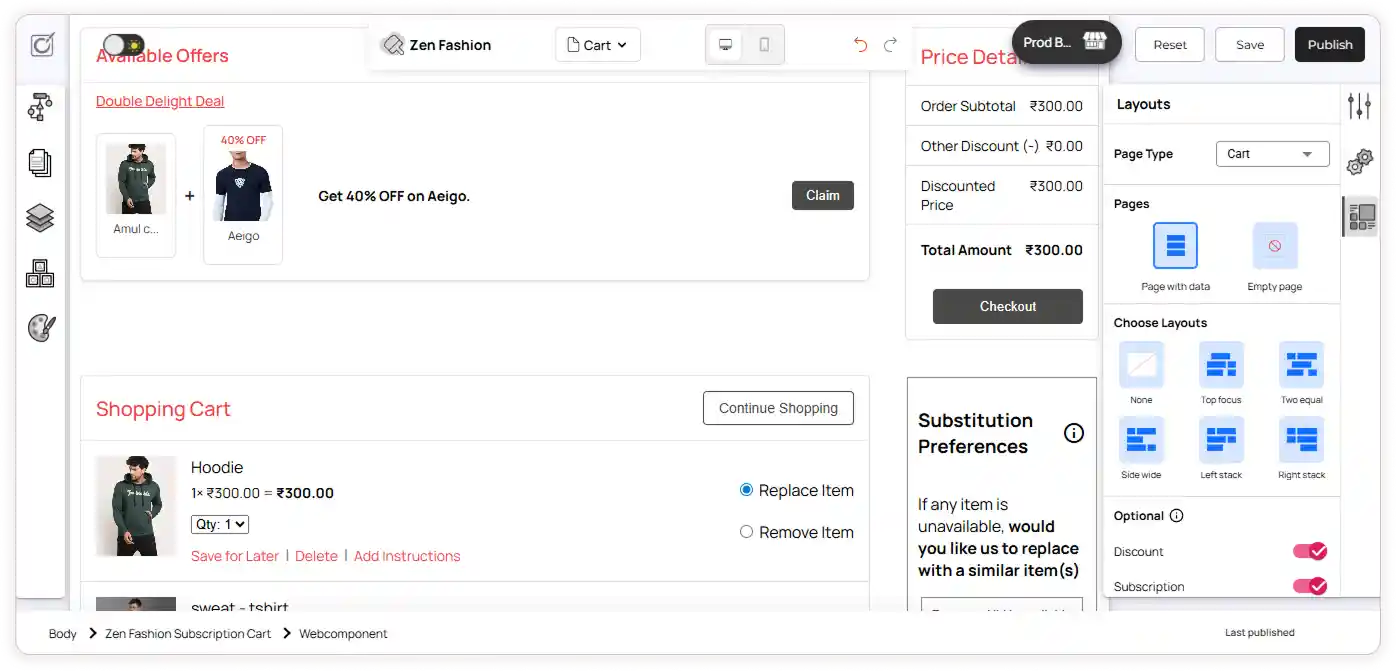
The Cart page includes layout settings that allow you to design how the cart appears when it has items and when it is empty.
To access layout settings for the Cart page:
-
Go to the Pages menu from the left panel or select the Cart page from the top bar.
-
The Cart page contains two sections—Shopping Cart and Subscription. You can either select a section directly or choose the page type.
-
When the Shopping Cart section is selected, you will see page options such as Page with Data and Empty Page.
-
If Page with Data is selected, you can choose from the available layout options.
-
You can also enable or disable the toggles to preview how discounts, subscription options, substitution preferences, and saved-for-later items will appear on the Cart page.
-
When the Subscription Cart section is selected, you can choose between Page with Data and Empty Page.
-
If Page with Data is selected, you can choose how the subscription-related information should be displayed.
-
Both sections have a common Empty Page option, where you can customize how the page should appear when no products are added to the cart.
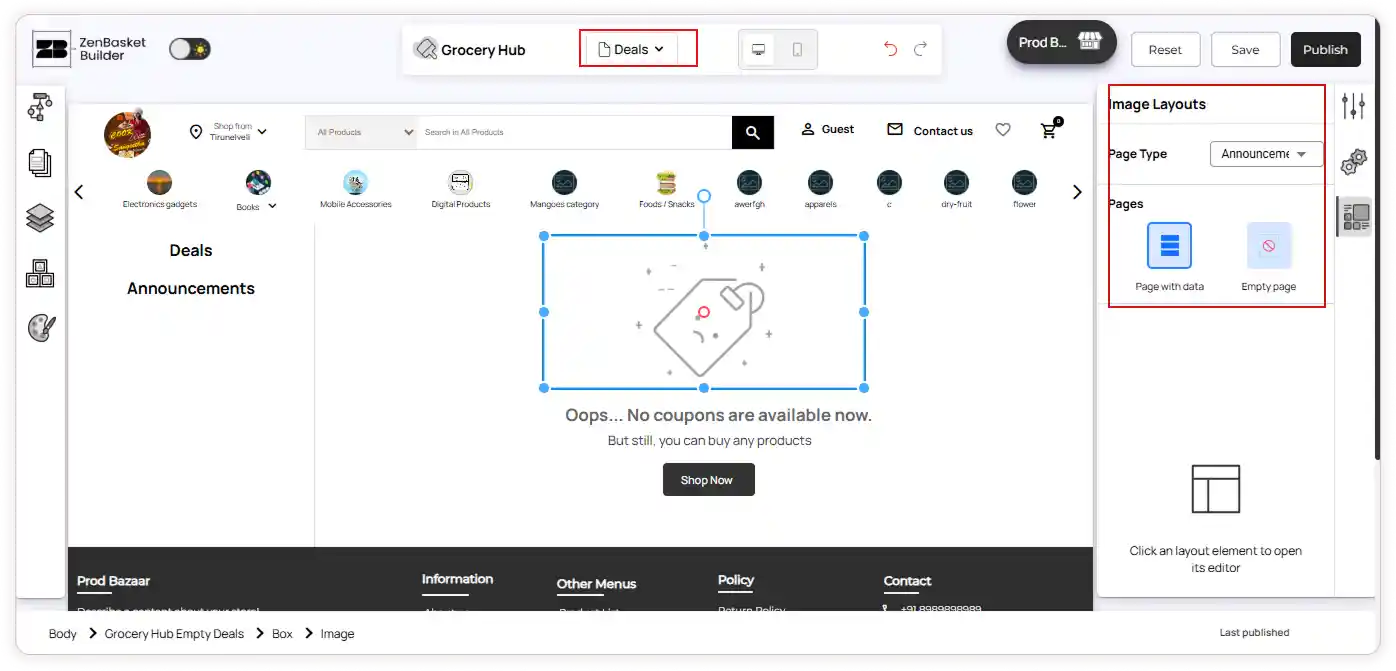
Deals Page Layout Customization
The Deals page lets you define how offers and announcements appear on your storefront, whether content is available or not.
To access layout settings for the Deals page:
-
Go to the Pages menu from the left panel or select the Deals page from the top bar.
-
The Deals page contains two sections — Deals and Announcements. You can either directly select a section or choose the page type.
-
You can choose from the page options such as Page with Data and Empty Page to control how the section appears based on content availability.