Customizing Your Product Details Page
The Product Details Page is where customers view everything about a product — images, pricing, reviews, and more. With ZenBasket Builder, you can completely tailor this page to match your brand and improve shopping experience.
How to Open the Product Details Page
-
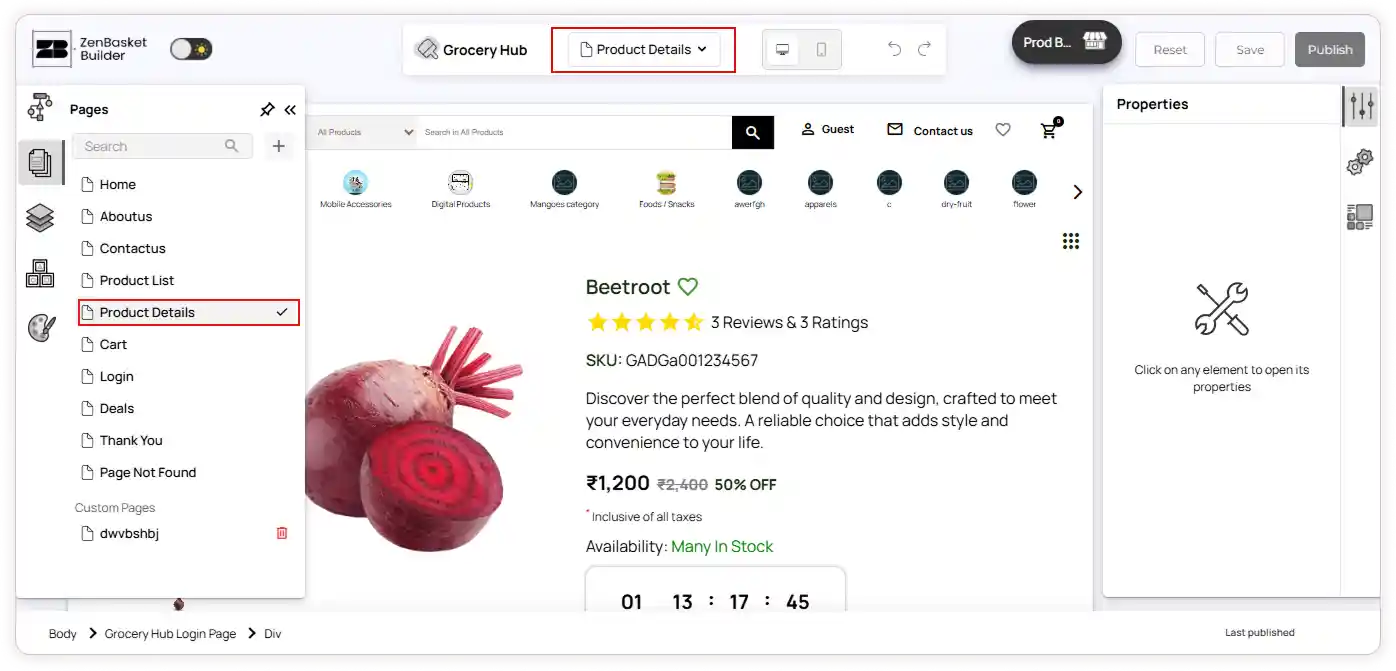
Go to the ZenBasket Builder Editor by clicking the start editing button from the store admin.
-
Click Pages on the left panel
-
Select Product Details Page from the list — or choose it using the page dropdown on the top bar
Page Structure
This page contains two main sections:
1️⃣ Top Section
Includes product image, product details, variants, instructions, availability, etc.
2️⃣ Bottom Section
Includes product description, reviews, FAQ, specifications and size chart.
Top Section:
This section focuses on the primary buying details: product image, product title, variants, stock status, and action buttons.
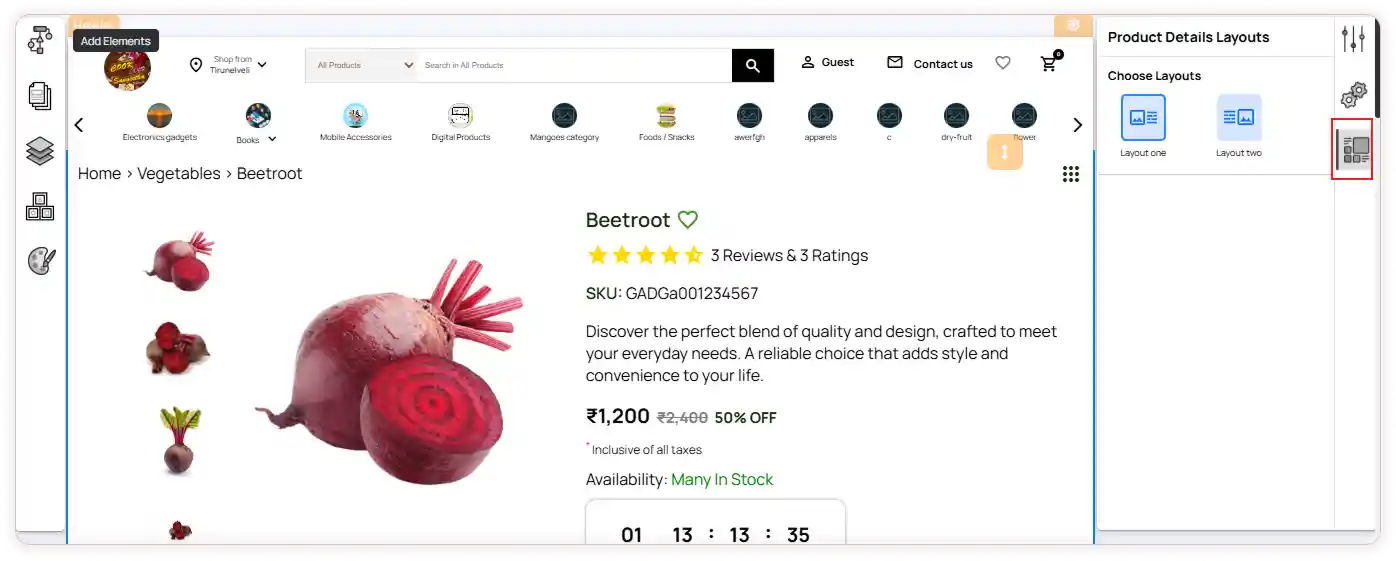
Layout & Properties
-
Select the Top Section and go to Layout to choose between Layout One or Layout Two.
-
Customize the properties like Effects & Animations and Borders & Shadows to enhance the design.
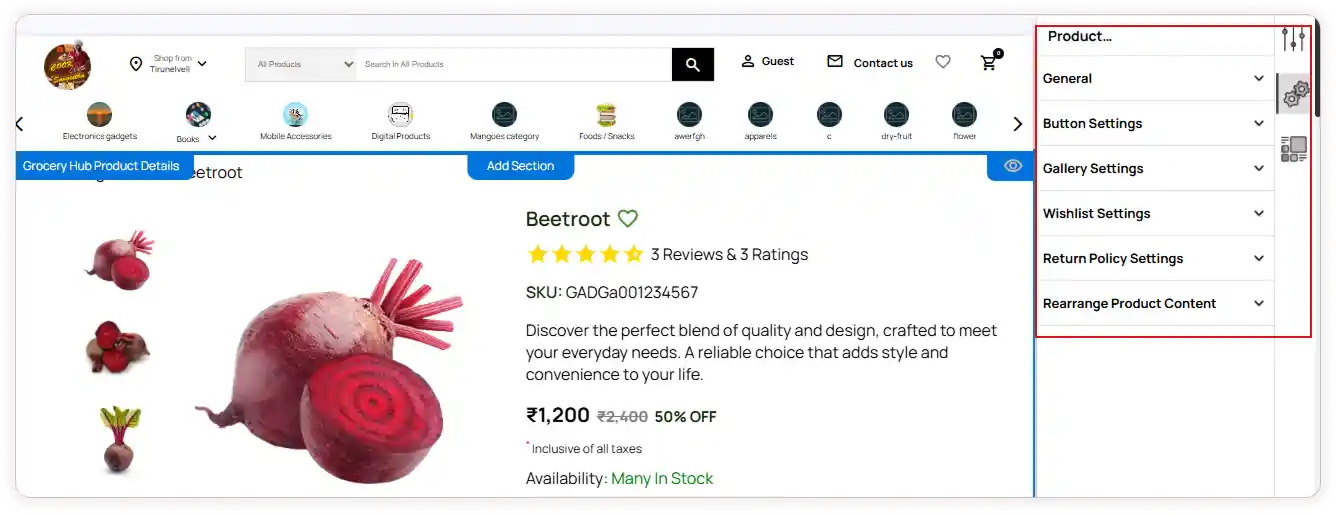
Configuration Options
The configuration panel allows you to manage what is shown here:
General
-
Show or hide breadcrumbs and stock count
-
Update the wording for availability statuses (e.g., “In Stock”, “Product Unavailable”, “Pre-order Available”)
-
Customize the colors for each display label
Buttons
-
Edit the text for Add to Cart, Buy Now, and Notify Me
-
Adjust button colors to match your store branding
Gallery
-
Control how images are displayed
-
Enable or disable zoom and loop video settings
Wishlist
- Choose the icon style and adjust its size, radius, and opacity
Return Policy
- Modify text and background colors so the policy is easily noticeable
Rearrange Product Content
-
Enable or disable elements such as description snippet, ratings, SKU, and more
-
Drag to reorder the display sequence
This customization helps ensure shoppers quickly see the most important details.
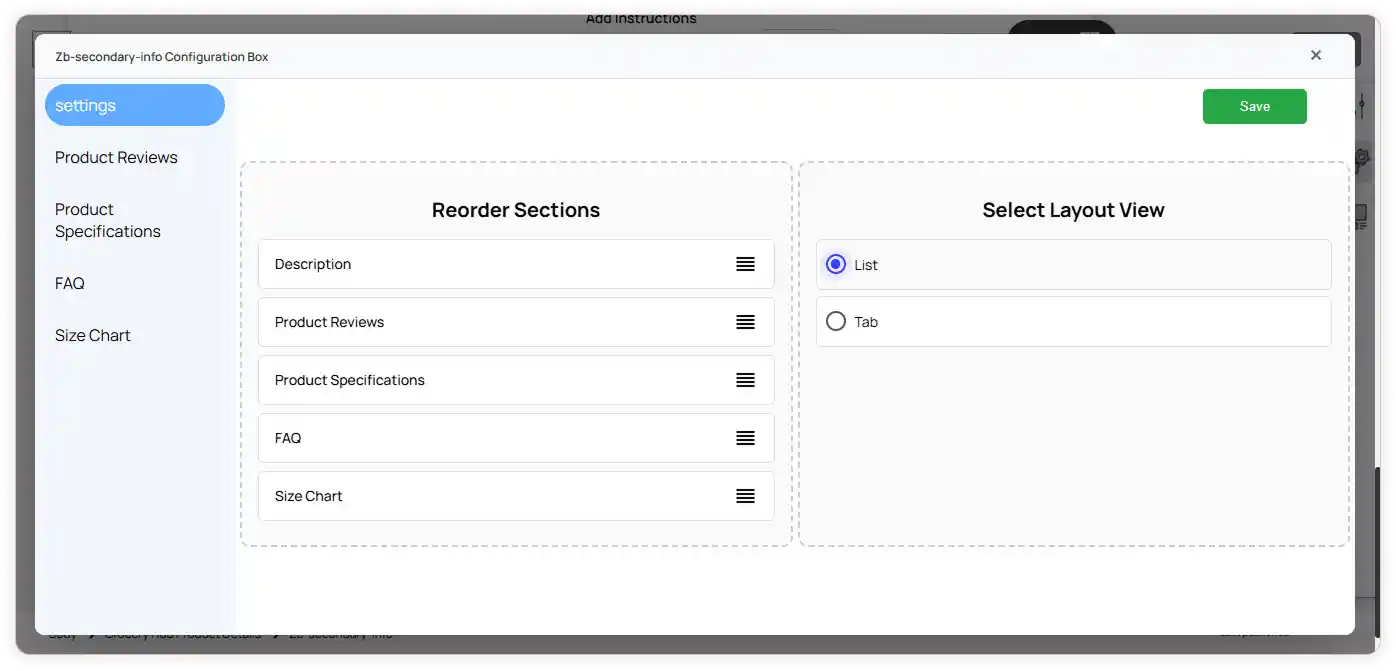
Bottom Section
This section contains detailed information that helps customers make informed purchase decisions, such as product descriptions, reviews, specifications, FAQs, and size charts.
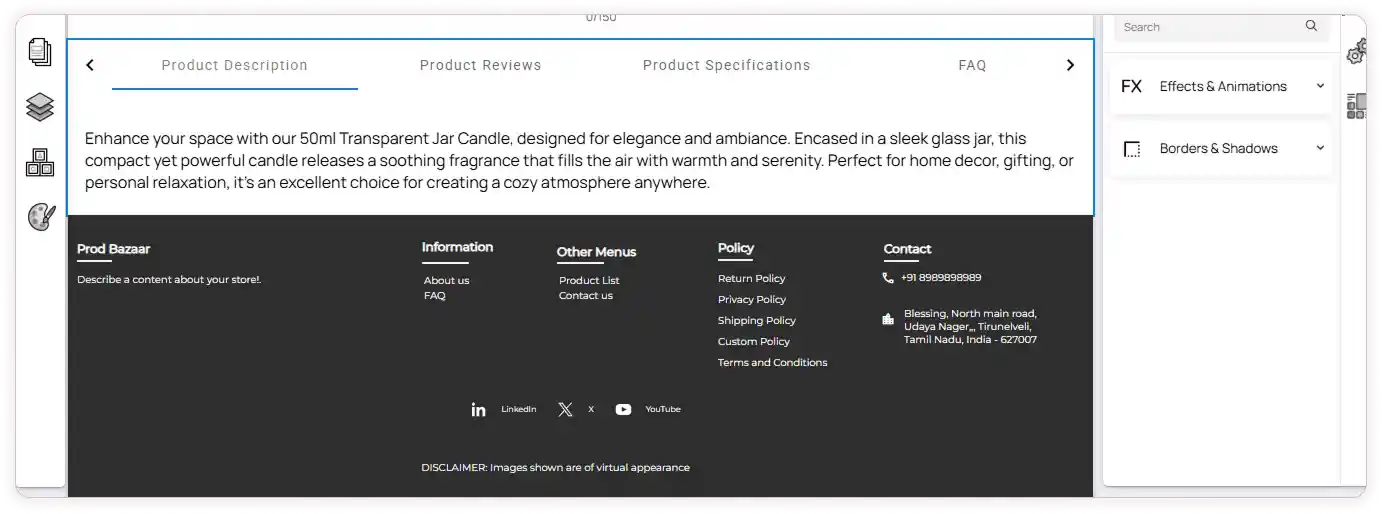
Configuration Options
Click the Bottom Section to open its configuration panel.
Here, you can:
Settings
-
Reorder the available content blocks based on priority
-
Select the preferred layout view for better readability
Product Reviews
- Manage the visibility of customer reviews on the page
Product Specifications
- Choose whether to display technical or detailed product info
FAQ
- Show or hide frequently asked questions
Size Chart
- Enable the size chart and select how it is displayed
These options help you organize detailed product information in a clean and user-friendly way.
Save Your Changes
After customizing the sections, click Save to apply the design updates to your storefront.