
About ZenBasket Builder
ZenBasket Builder is a website builder platform that allows you to build and customize your store’s layout, sections, and overall appearance, all without any coding. It offers a wide range of tools to help you design a visually refined, professional-looking storefront.
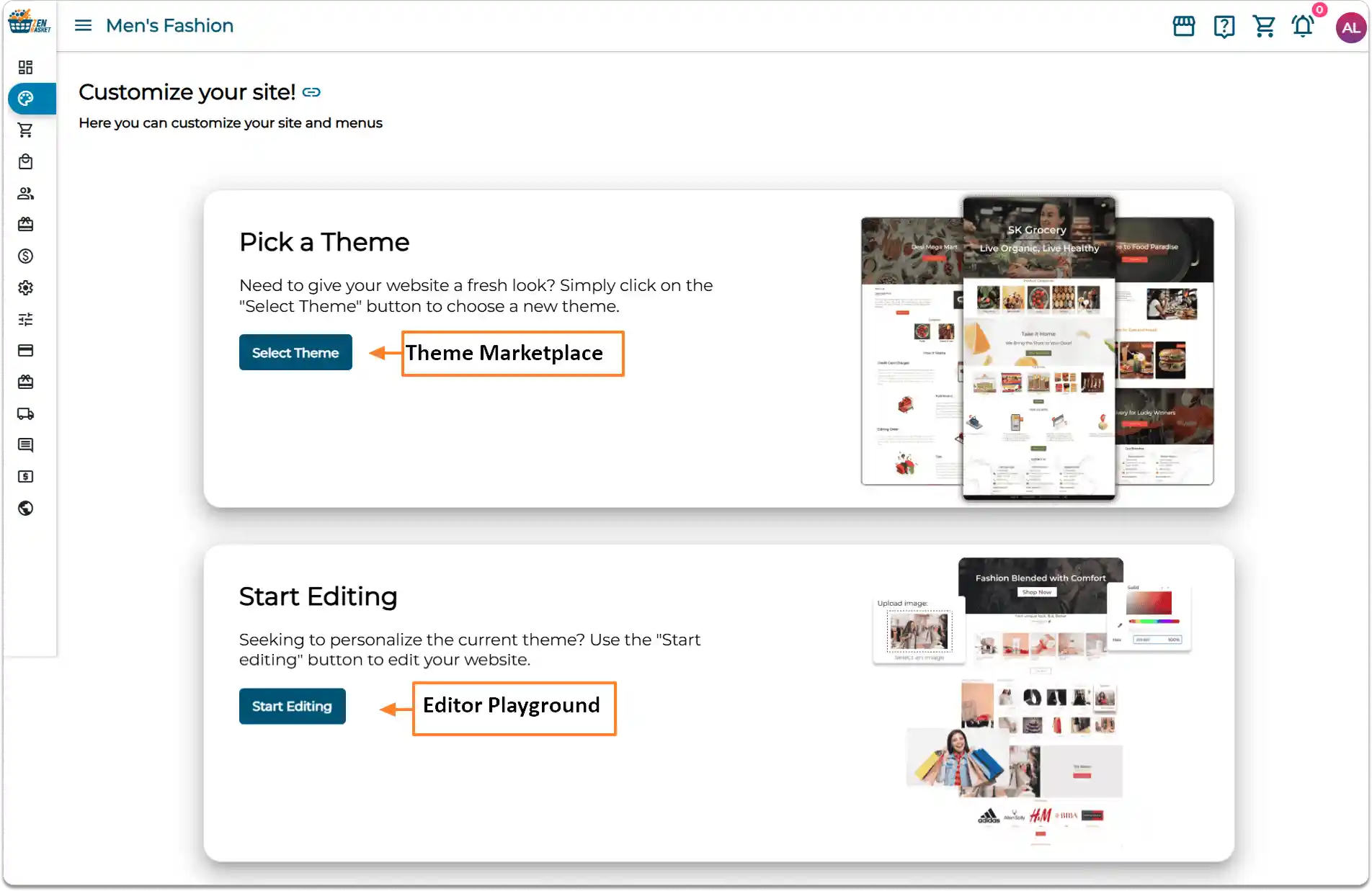
With ZenBasket Builder, you can design standalone pages even if you’re not using ZenBasket. Within ZenBasket Builder, the Theme Marketplace lists all the store themes, including both free and premium ones.
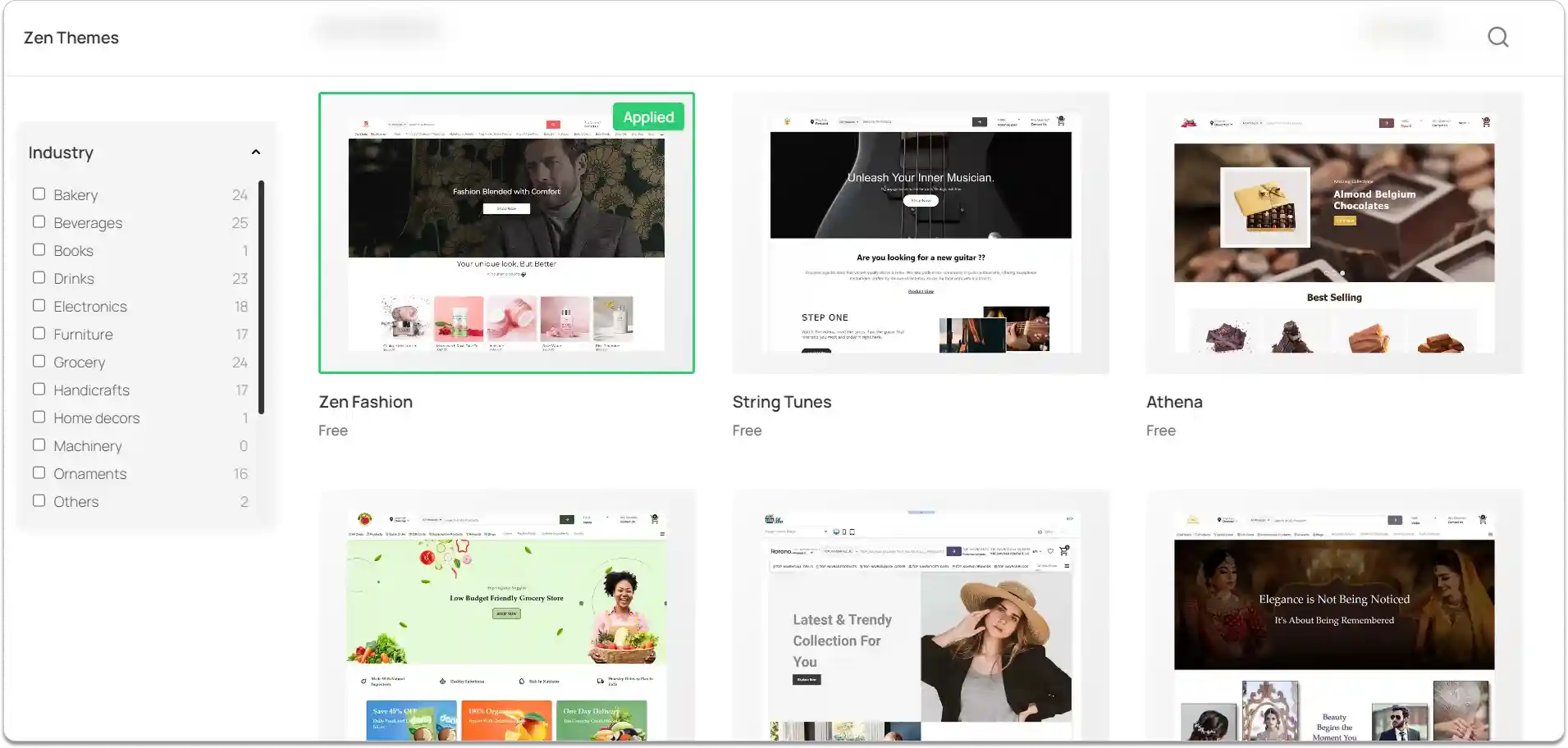
From the Theme Marketplace, you can preview how a theme looks before applying it. In preview mode, you can navigate between different pages to see how the layout and design appear across your store. Once you find a theme that fits your brand, simply apply it to start customizing.
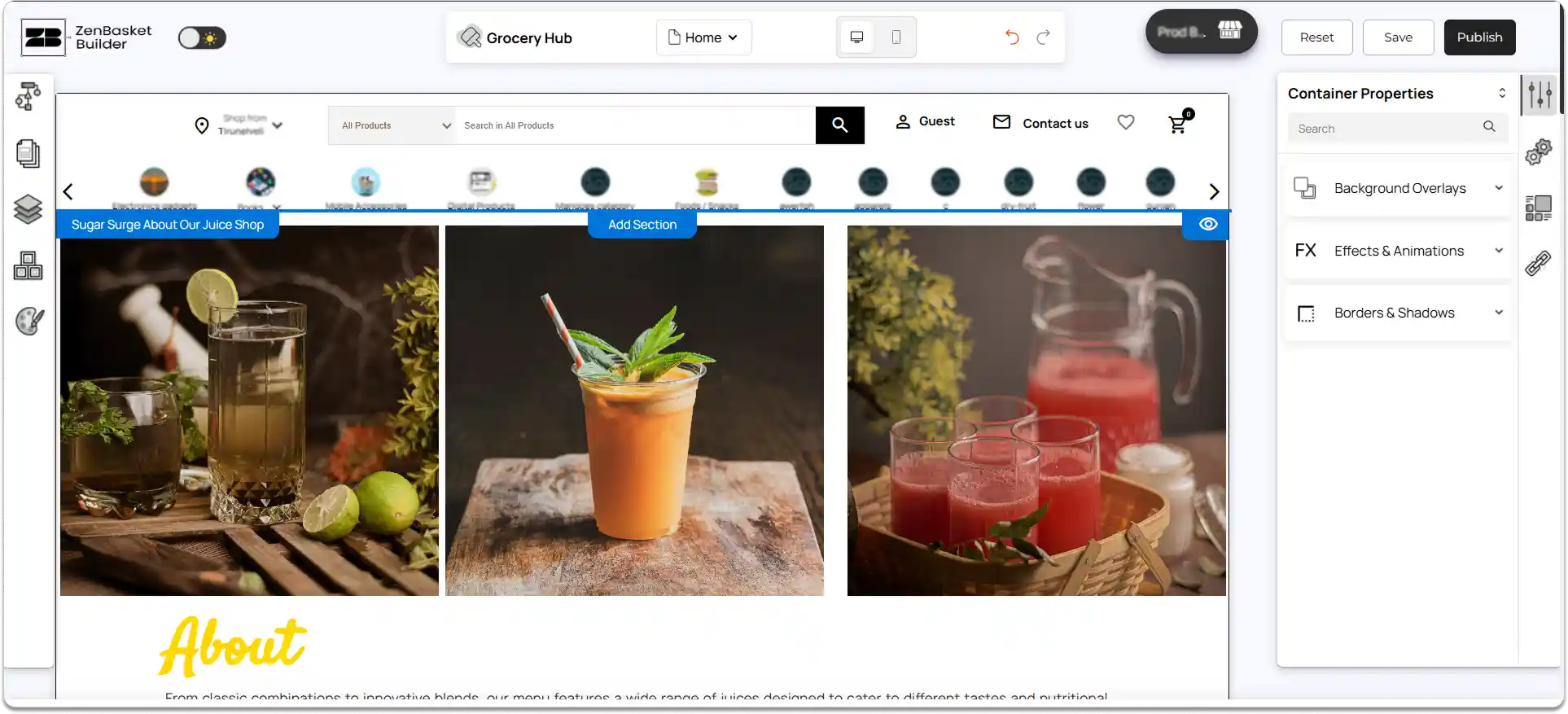
ZenBasket Builder Editor Overview
The ZenBasket Builder editor loads your storefront inside a visual workspace, the editor playground. Here, you can personalise every part of your store using intuitive tools.
Add and Customize Sections Across Your Pages
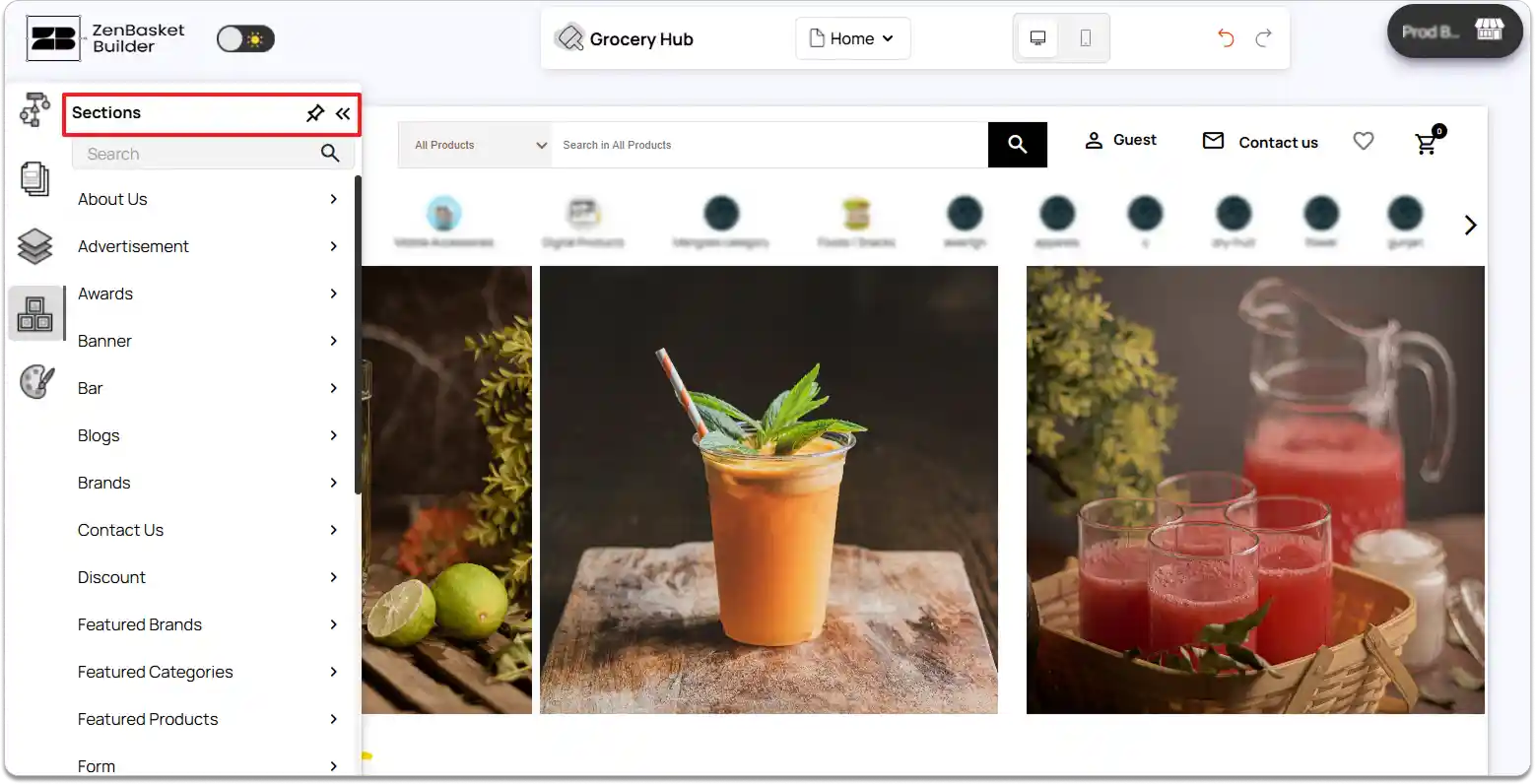
With ZenBasket Builder, you can build your pages using custom sections or select from ready-made sections designed for common layouts like hero banners, product highlights, testimonials, and more.
-
Each section can be fully customized: adjust backgrounds (image, video, or color), spacing, alignment, and text.
-
You can duplicate sections across multiple pages for a consistent look.
-
Sections are modular, meaning you can reorder or resize them quickly to fit your design needs.
Add Visual Elements, Customize Pages, and Apply Global Theme Styles
Enhance your pages with a variety of visual elements:
-
Images, videos, social icons, buttons, boxes, and more can be added directly to any section.
-
Use prebuilt pages as a starting point, such as About, Product, Cart, Product list, Product Details pages, etc, which you can then fully customize to match your brand.
-
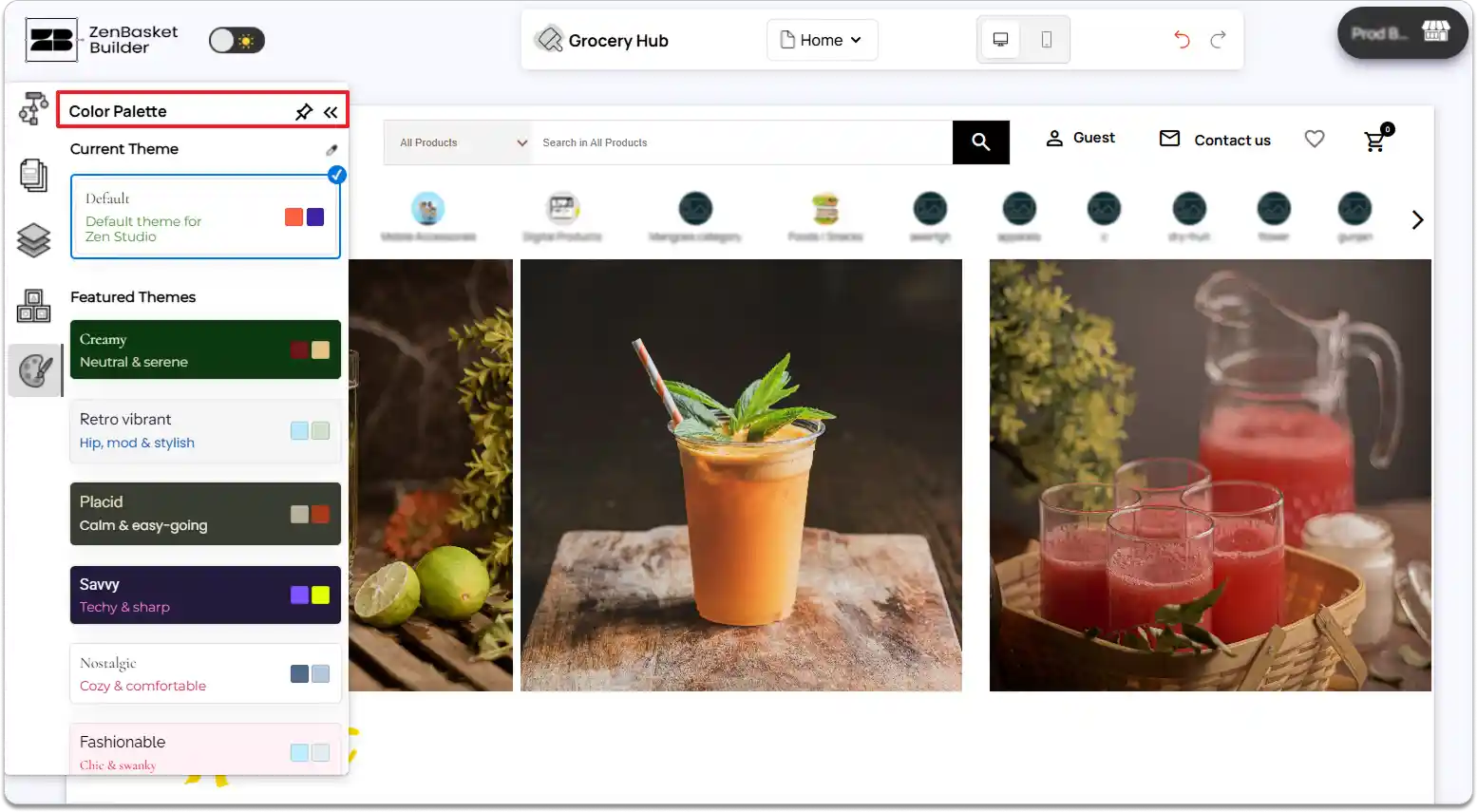
Global theme styles allow you to maintain a consistent brand identity by applying the same fonts, colors, and button styles across all pages and sections.
-
These tools make it easy to update your store’s look sitewide without having to edit every page individually.
Design or Edit Header and Footer Layouts
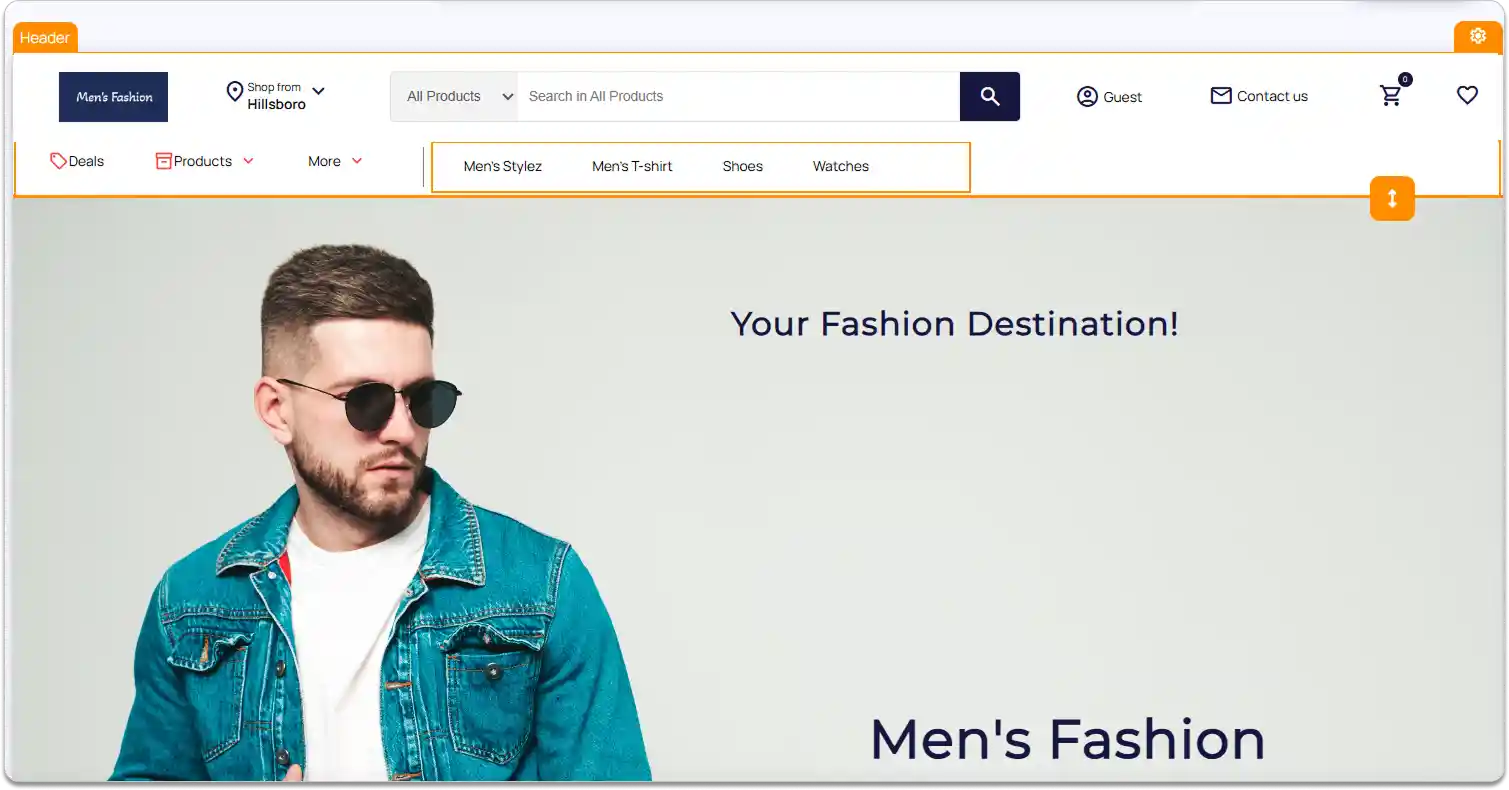
Headers and footers define your store’s navigation and branding. ZenBasket Builder editor lets you:
-
Customize menus, add logos, and links in the header.
-
Add social icons, copyright info, and links in the footer.
-
Make your header and footer consistent across all pages.
-
Adjust spacing, alignment, and styling to ensure headers and footers match your overall design seamlessly.
Fine-Tune Your Store for Desktop and Mobile
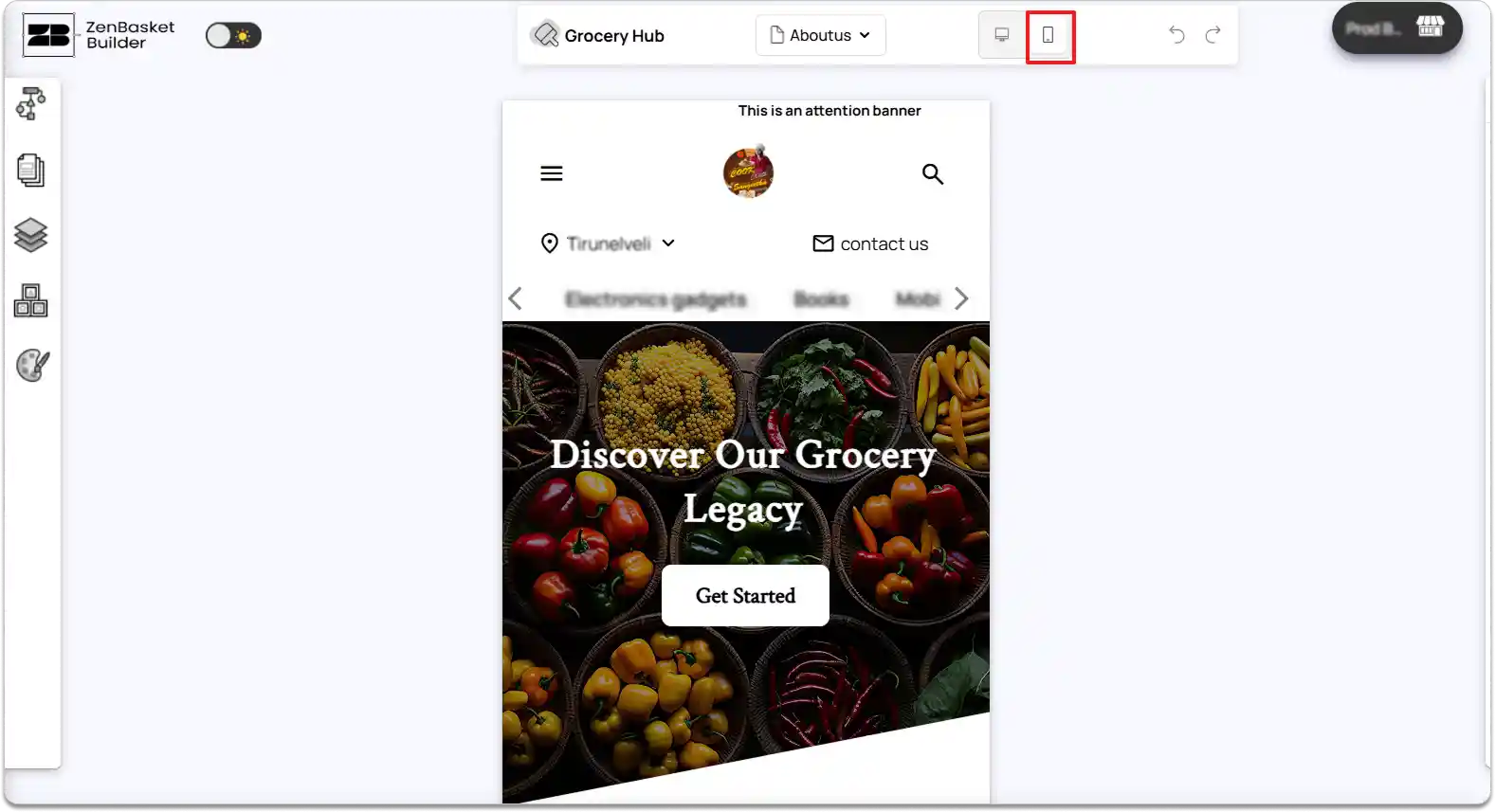
ZenBasket Builder editor gives you device-specific editing options so your store looks perfect on all screens:
-
Desktop view: Full layout control with detailed spacing, alignment, and large image backgrounds.
-
Mobile view: Optimize buttons, menus, and content stacks for smaller screens.
-
You can hide or show elements per device, resize sections, and preview the layout to provide a smooth shopping experience.
Preview Your Design in Real Time Before Publishing
Before going live, the ZenBasket Builder editor lets you preview every page and element exactly as your customers will see it:
-
Check all pages, sections, and device views without leaving the editor.
-
Ensure that interactive elements, sliders, and buttons function correctly.
-
Identify and correct layout or styling issues before publishing.
-
This real-time feedback helps maintain a professional, polished storefront and reduces errors once live.