
Connect Payments
To start accepting payments on your store, you need to activate a payment gateway plugin. ZenBasket supports multiple payment methods from cash-based options to global payment processors, so you can offer your customers the most convenient way to pay.
Step 1: Go to the Payment Plugins
-
In your ZenBasket admin, go to Plugins.
-
Click Plugin List.
-
On the left menu, select Payment.
You will see all available payment gateway plugins listed here.
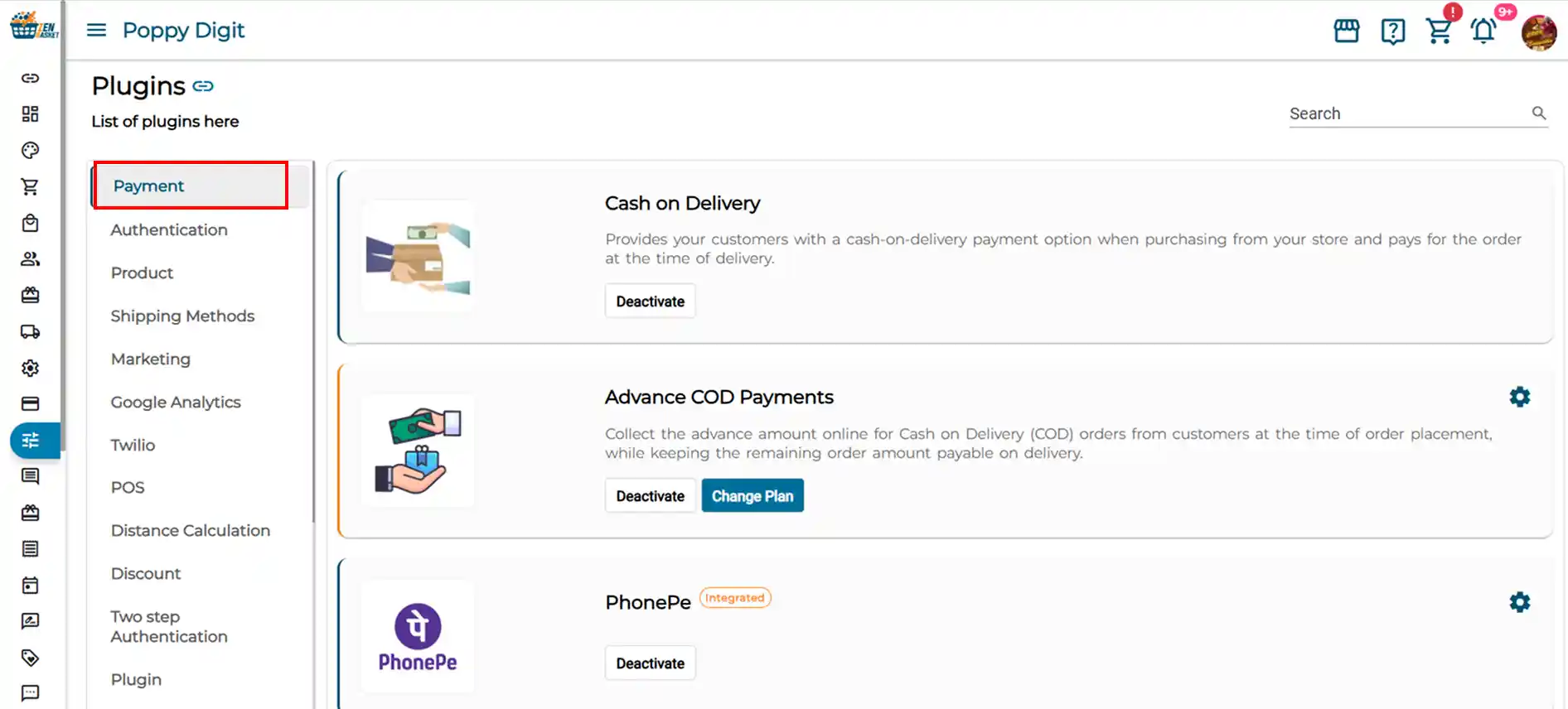
Payment Gateways Available
| Payment Gateway | Description |
|---|---|
| Cash on Delivery (COD) | Allow customers to pay in cash when their order is delivered. No online payment processing required. Ideal for stores serving customers who prefer offline payment. |
| Advance COD Payments | A variant of Cash on Delivery where customers pay a partial amount in advance online and the remaining balance in cash at the time of delivery. Reduces the risk of order cancellations and returns. |
| PhonePe | A popular UPI-based payment platform widely used in India. Customers can pay instantly using their PhonePe app or any UPI ID. |
| Razorpay | A comprehensive Indian payment gateway supporting credit/debit cards, UPI, netbanking, wallets, and EMI options. Widely trusted by Indian businesses. |
| Cashfree | An Indian payment gateway known for instant settlement and support for a wide range of payment modes including UPI, cards, netbanking, and wallets. |
| PayPal | A globally recognised payment platform trusted by customers worldwide. Ideal for stores selling internationally or targeting customers who prefer PayPal checkout. |
| Authorize.net | A long-established US-based payment gateway supporting credit cards and eChecks. Preferred by businesses looking for a reliable and widely integrated payment processor. |
| Checkout.com | A global payment gateway designed for high-volume businesses with support for multiple currencies, card payments, and localised payment methods across regions. |
| Stripe | A developer-friendly global payment platform supporting cards, wallets, and subscription payments. Offers a seamless checkout experience and supports over 135 currencies. |
| Square | A payment solution that supports both online and in-person payments. Ideal for businesses that operate both a physical store and an online store through ZenBasket. |
Step 2: Activate a Payment Gateway
-
In the Payment plugin list, find the payment gateway you want to enable.
-
Click the Activate button on that plugin.
-
Click the Settings icon to enter your payment credentials.
-
Follow the setup steps in the dedicated article for that gateway.
-
Click Save.
Repeat this for each payment method you want to offer your customers. You can activate multiple gateways at the same time.
Individual setup guides for each payment gateway will be linked here.
Enable Cash on Delivery When Creating Your Store
When setting up a new store on ZenBasket, you can enable Cash on Delivery right from the start, no additional configuration needed initially.
To activate COD:
-
Go to Plugins → Plugin List.
-
Search for Cash on Delivery.
-
Click Activate.
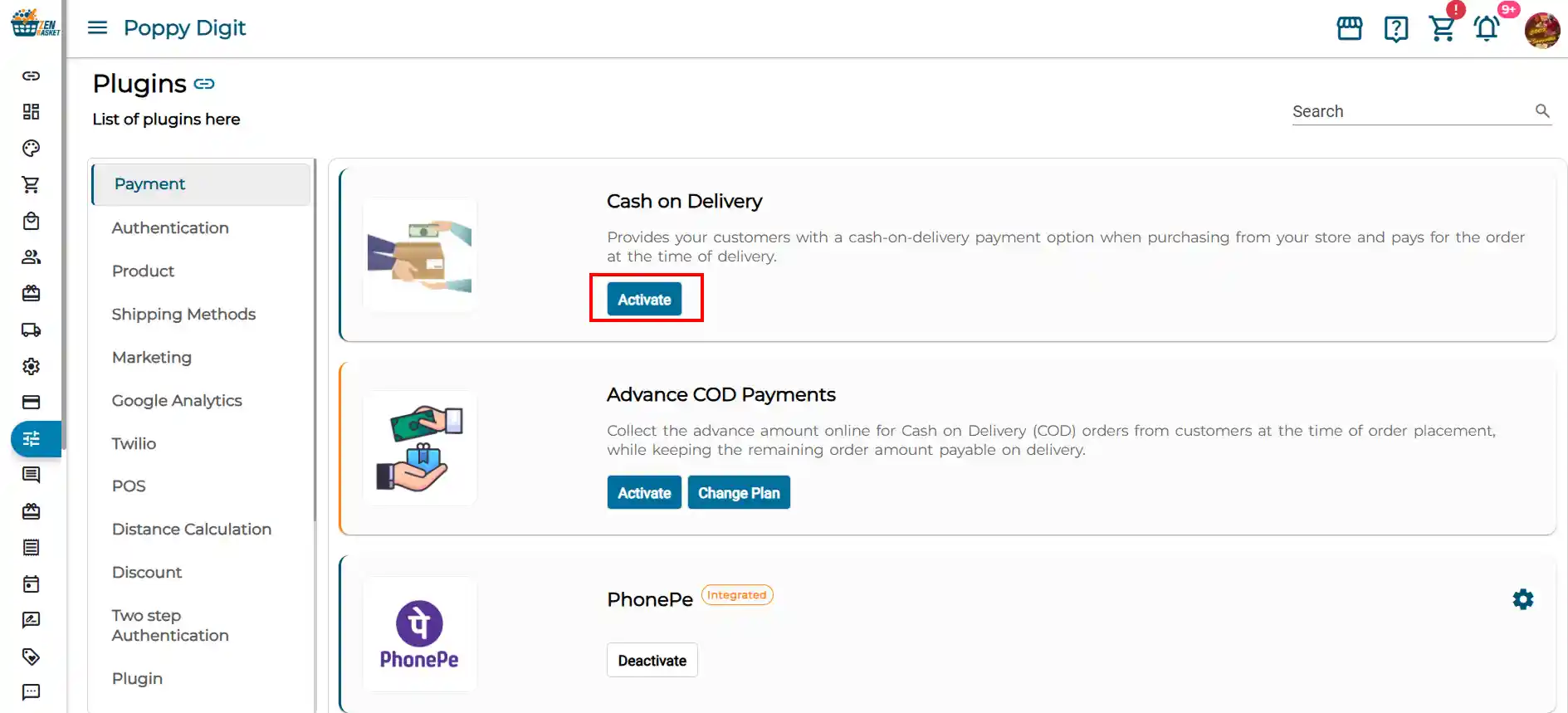 COD is now enabled on your store. Customers will see the Cash on Delivery option at checkout.
What is Advance COD? Advance COD is an enhanced version of Cash on Delivery. Instead of paying the full amount at delivery, customers pay a portion of the order value online at the time of placing the order, and pay the remaining balance in cash when the order arrives. This reduces the likelihood of cancellations and failed deliveries, making it a safer option for store owners handling high-value or custom orders.
To activate Advance COD
-
Go to Plugins → Plugin List.
-
Search for Advance COD Payments.
-
Click Activate.
Frequently Asked Questions
1. Can I activate more than one payment gateway at a time? No. You cannot activate multiple payment gateways simultaneously.
2. Which payment gateway should I use if I am selling in India? For Indian stores, Razorpay, Cashfree, and PhonePe are the most popular options as they support UPI, netbanking, and local wallets. Cash on Delivery is also widely used for domestic orders.
3. Which payment gateway is best for international sales? Stripe, PayPal, and Checkout.com are well-suited for international transactions. They support multiple currencies and are trusted by customers across the globe.
4. What is the difference between COD and Advance COD? With standard COD, the customer pays the full amount in cash at delivery. With Advance COD, the customer pays a partial amount online at checkout and the remaining amount in cash at delivery. Advance COD reduces the risk of order returns and cancellations.
5. Do I need API credentials to activate payment gateways? Yes, for all online payment gateways (Razorpay, Stripe, PayPal, etc.) you will need API credentials from the respective payment provider. COD and Advance COD do not require any credentials, they can be activated directly.
6. What happens after I activate Square? When Square is activated and configured, a Square POS Orders sub-menu is added under the Orders module in your ZenBasket admin. This allows you to manage and sync orders placed through Square POS alongside your online orders.