Adding Pages
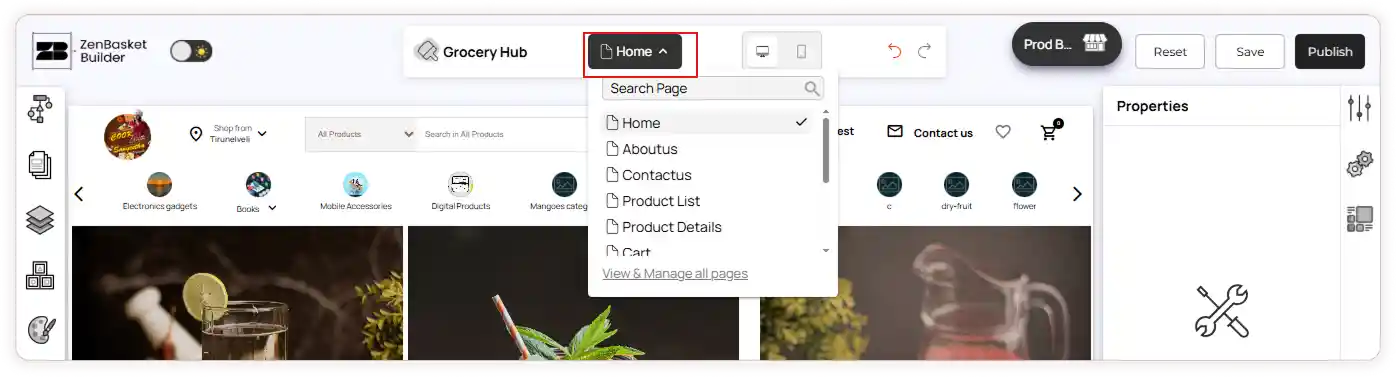
Add pages to make your site more informative and engaging for visitors. You can choose from various page types to suit your needs and enhance your online presence. Each page type includes preset designs and helpful elements, allowing you to build and expand your site quickly and effortlessly.
To Add an Existing Page
-
Log in and go to the Design module.
-
After selecting a theme, click the Start Editing button.
-
You’ll be taken to the ZenBasket Builder Editor.
-
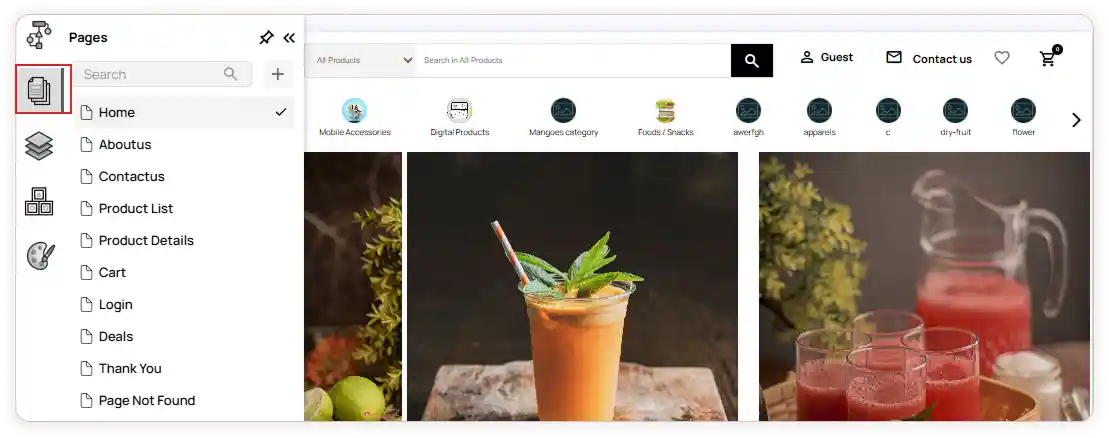
In the left panel, open the Pages section.
-
Select a page from the list or use the search bar to find one.
To Create a New Page
-
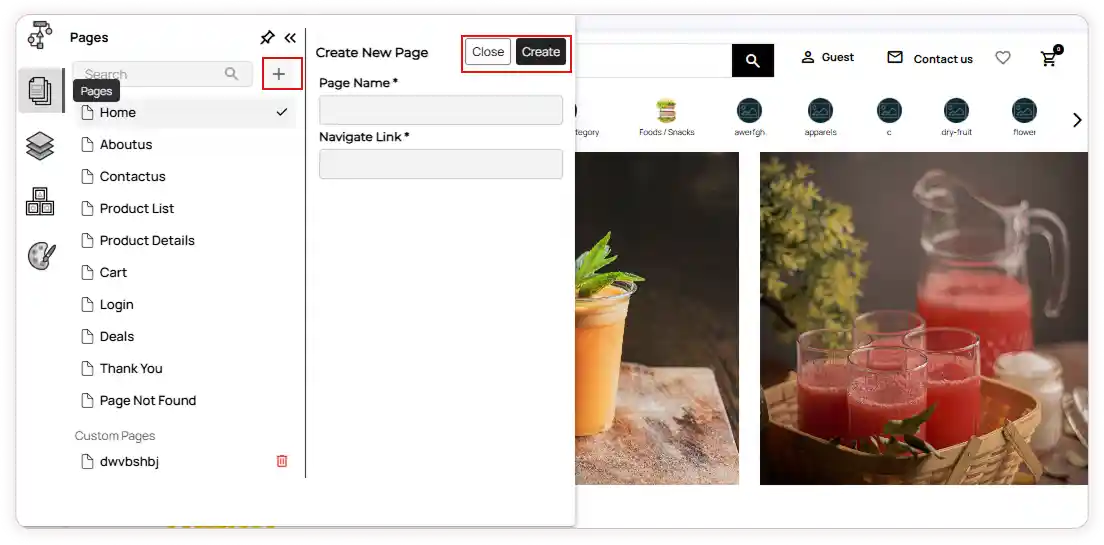
Click on the Add icon.
-
Enter the Page Name and its Navigation Link.
-
Click the Create button.
-
A popup message will confirm: Page created successfully.
-
The newly created page will appear under the **Custom Pages ** category.
-
You can delete the page using the Delete icon.
-
Click on the newly created page to start customizing.
-
The page will include a Header, Footer, and an empty section ready for design
Switch Pages
- Quickly navigate between different pages using the Switch Pages panel on the top bar of the editor.
- If you attempt to switch pages while editing, a confirmation popup will appear asking you to Save or Discard changes.